Chess Analysis Programs

Build a strong opening repertoire — all in one board.
🔵 Paste a full PGN file into MICOS CAP.
🔵 Paste or type chess notation directly into MICOS CAP.
🔵 Automatically identify the deepest verified MICOS opening.
🔵 Train one of the 3,815 MICOS Openings directly in MICOS CAP: Access MICOS with all the 57 Opening Groups.
🔵 Replay openings move by move.
🔵 Continue playing from any position.
🔵 Play against MICOS CAP (Stockfish – 4 levels).
🔵 MICOS chess engine is using the latest Stockfish technology.
🔵 Analyze moves with evaluation and best move.
🔵 Find any Chess Opening
🔵 Copy or download your opening or game as a PGN file.
🔵 Reload your saved opening games later and continue building your opening repertoire.
🔵 Play against MICOS CAP directly from the chess board.
🔵 Analyze your played games move by move. Turn on CAP and replay your own games directly on the board.
🔵 Build and train your opening repertoire in one board.
🔵 Move pieces with drag-and-drop or tap-tap controls.
🔵 Navigate moves with buttons or keyboard arrows.
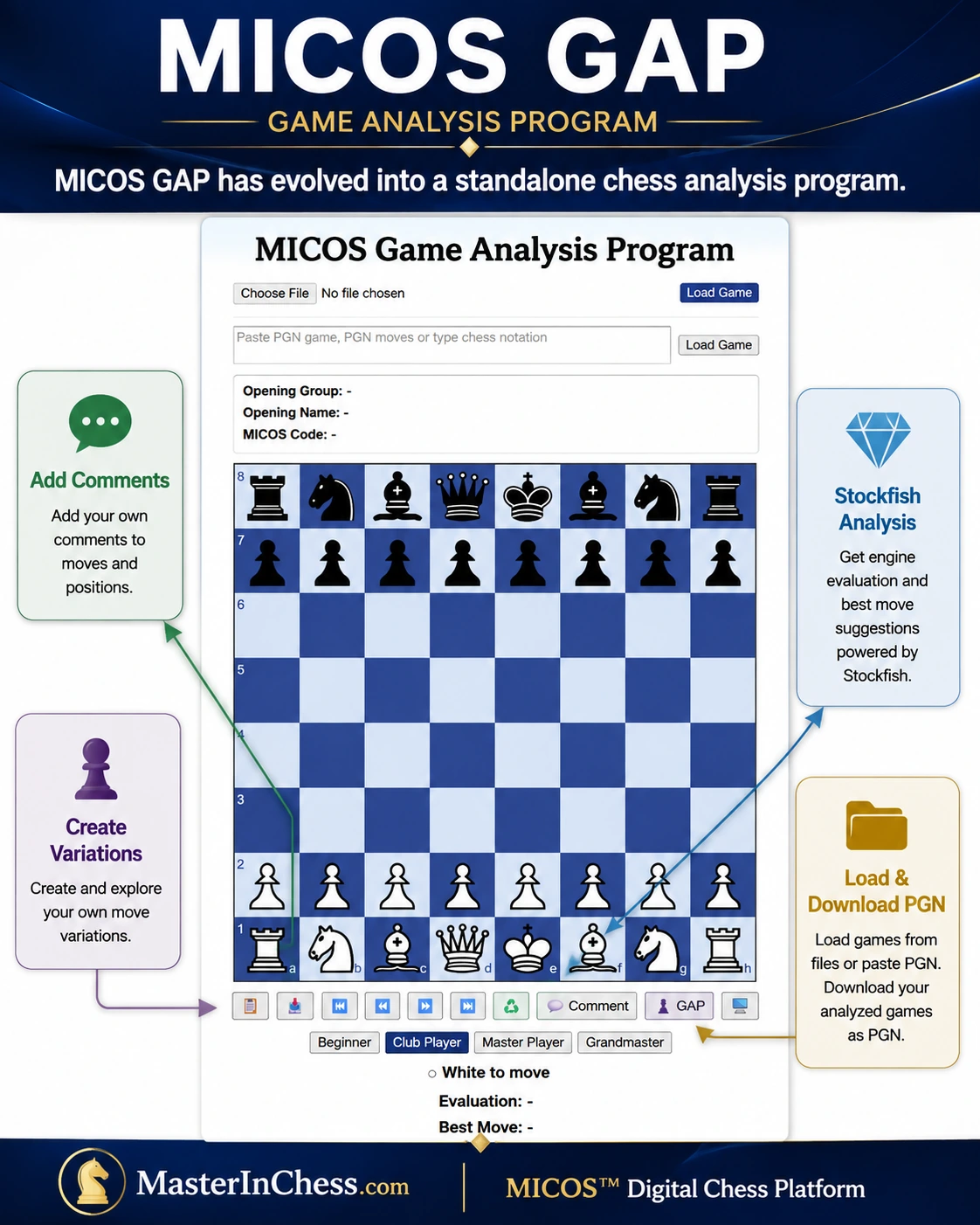
Game Analysis
Replay, analyze and continue playing your games — all in one board.
🟢 Paste a full PGN file directly into MICOS GAP
🟢 Paste or type chess notation into MICOS GAP.
🟢 Upload PGN game file.
🟢 Import PGN games with comments and variations.
🟢 Add or edit comments for any main-line move.
🟢 Create and save your own game variations.
🟢 Download your annotated game as a PGN file.
🟢 Reload annotated games later and continue your analysis.
🟢 Automatically identify the deepest verified MICOS opening.
🟢 Replay games move by move.
🟢 MICOS chess engine is using the latest Stockfish technology.
🟢 Analyze moves with evaluation and best move.
🟢 Find any Chess Opening.
🟢 Copy or download your game as a PGN file.
🟢 Reload your saved games later and continue your analysis.
🟢 Move pieces with drag-and-drop or tap-tap controls.
🟢 Navigate moves with buttons or keyboard arrows.
🟢 Analysis comparable to leading online chess analysis platforms using Stockfish chess engine.
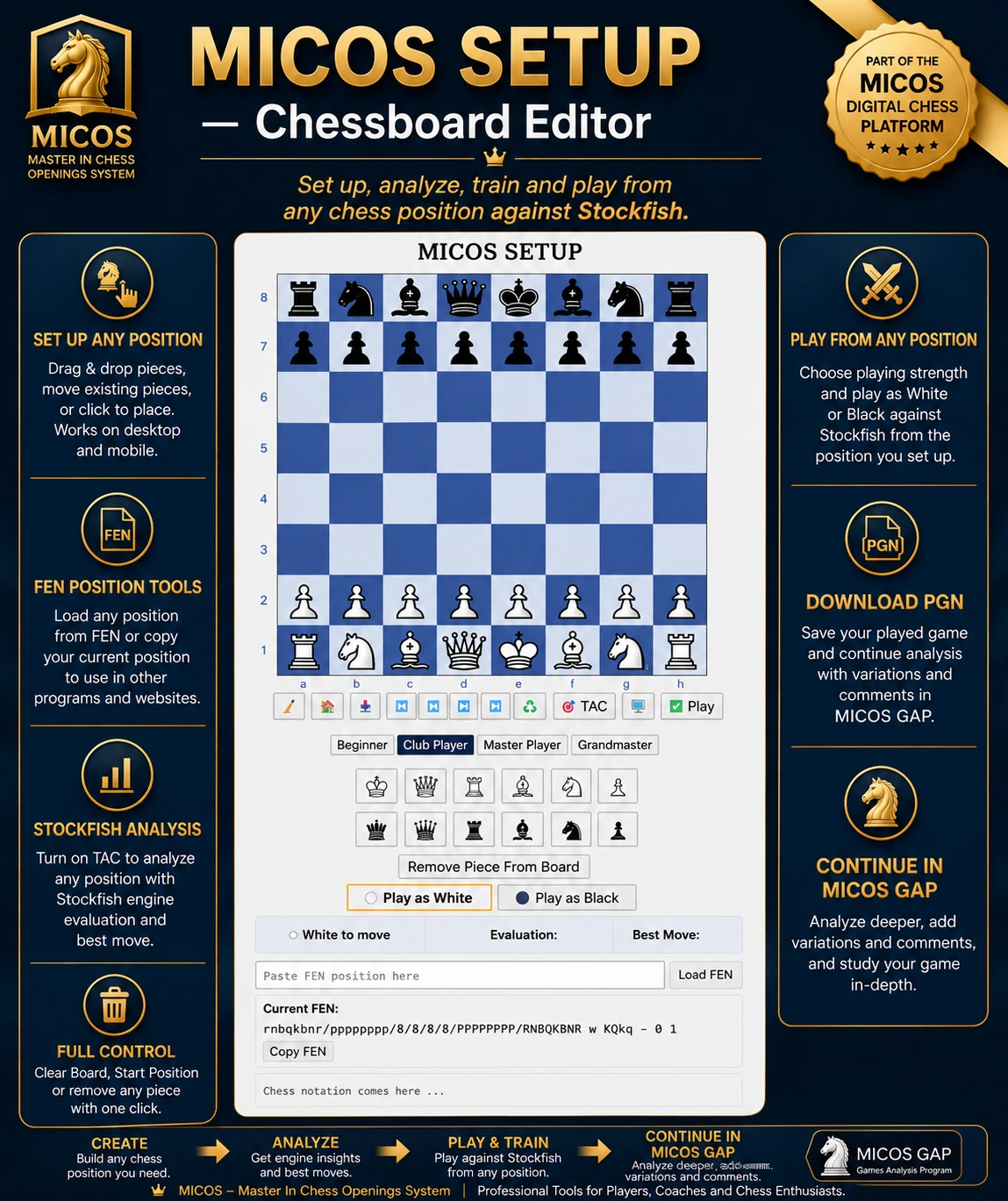
Setup a Chess Position
🔵 Desktop: Drag and drop pieces directly onto the chessboard, drag existing pieces to new squares, or click a piece and then click a square.
🔵 Mobile: Tap a piece and then tap a square to place it on the chessboard.
🔵 Clear Board removes all pieces from the chessboard.
🔵 Start Position restores the normal starting position.
🔵 Turn Remove Piece From Board ON, then click or tap a piece on the board to remove it. Turn it OFF again to continue setting up the position.
🔵 The indicator below the board shows whether it is White to move or Black to move.
🔵 Paste a FEN position from another chess website or program, then click Load FEN.
🔵 Click Copy FEN to copy the current position for use in other chess programs or websites.